
Download FabTabs – intelligent colored tabs for Firefox
Overview
FabTabs is a Firefox add‑on that promises to bring a splash of personality to your browsing experience by automatically assigning a color to each tab based on the visual palette of the page you are viewing. Instead of relying on arbitrary or static color schemes, FabTabs captures a quick screenshot of the active webpage, analyses the dominant hue, and paints the tab with a matching shade. The idea is simple yet appealing: a more cohesive look that helps you locate tabs at a glance while also turning your browser into a miniature canvas of colors.
The add‑on ships with an options window where you can fine‑tune the intensity of the color, adjust the size of the screenshot used for analysis, and enable or disable features such as recoloring inactive tabs. While the concept sounds perfect for users who love to customize Firefox, real‑world performance can be a mixed bag. Some users report that the colors are subtle enough to be pleasant, whereas others find the algorithm occasionally misreads the dominant hue, leading to tabs that appear almost white on vibrant pages.
Nonetheless, FabTabs remains a free, open‑source tool that integrates directly into the Firefox toolbar, making it easy to toggle on or off without a restart. Whether you are a power user looking for a visual cue or simply enjoy a more attractive browser interface, FabTabs offers a straightforward way to personalize your tabs without the need for heavy theming extensions.
Key Features
- Automatic color extraction from the current webpage using a lightweight screenshot algorithm.
- Adjustable color intensity – from subtle pastel tones to vivid, eye‑catching shades.
- Separate settings for active and inactive tabs, allowing a softer palette for background tabs.
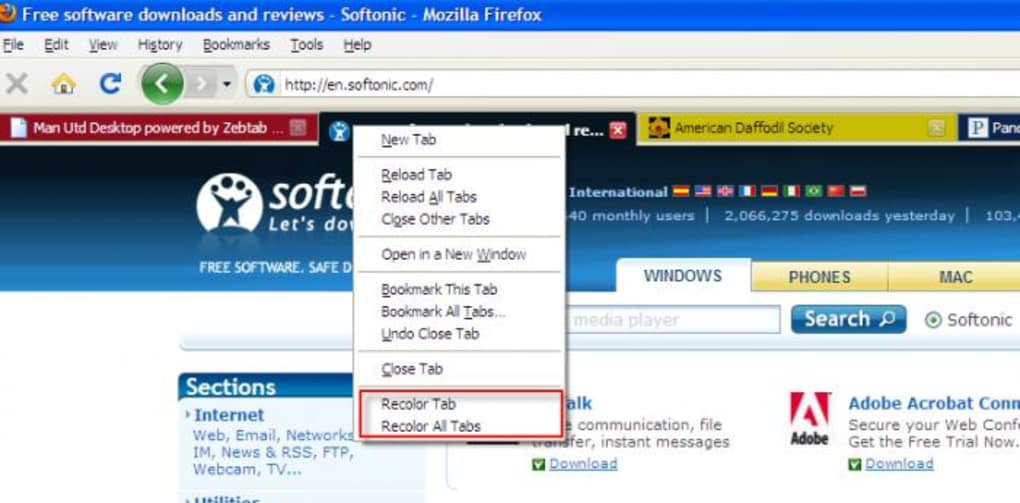
- Option to manually recolor a tab via the “Recolor Tab” command (available in the context menu).
- Multi‑language support, including Russian, Serbian, and Swedish translations.
- Compatibility with Firefox 4 and newer – the add‑on automatically disables on unsupported versions.
- Lightweight footprint; the extension does not interfere with other Firefox add‑ons or browsing speed.
- Custom screenshot dimensions to balance accuracy and performance.
Installation & Usage Instructions
Step‑by‑step installation
Installing FabTabs is a breeze for anyone familiar with the Firefox add‑on ecosystem. First, open Firefox and navigate to the official Mozilla Add‑ons site. Search for “FabTabs” or follow the direct link provided on the developer’s homepage.
Click the “Add to Firefox” button; a confirmation dialog will appear asking for permission to access your tabs and read page content. Accept the request, and Firefox will automatically download and install the extension. Once installed, a small palette icon appears next to the address bar, indicating that FabTabs is active.
No restart is required, and the add‑on begins applying colors immediately.
Configuring the options
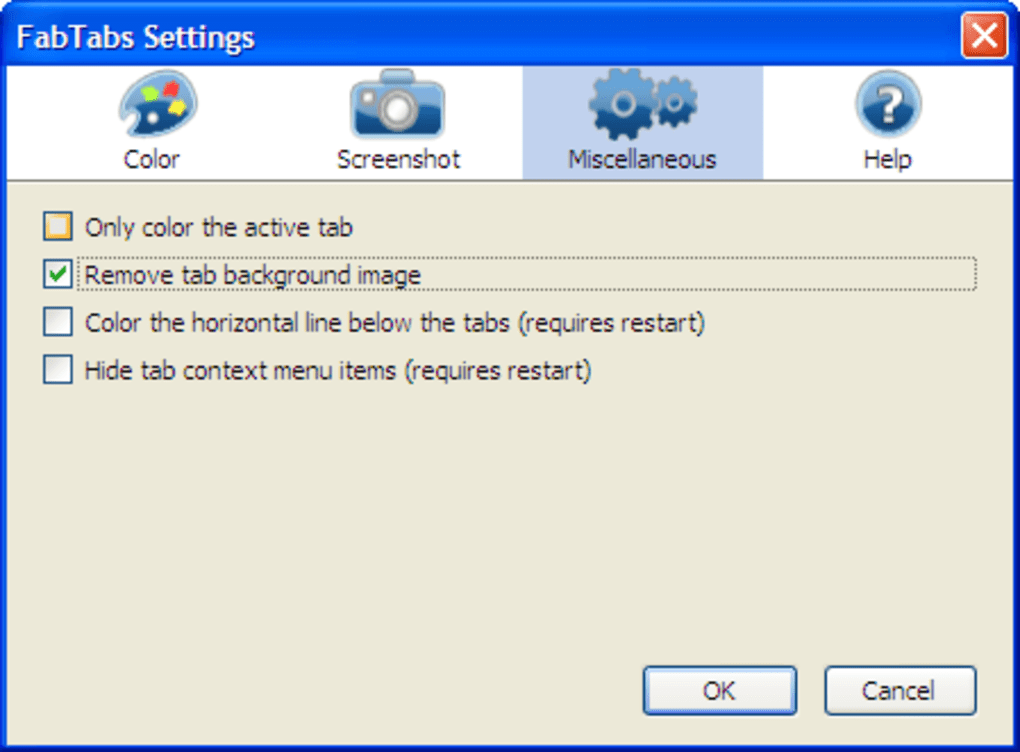
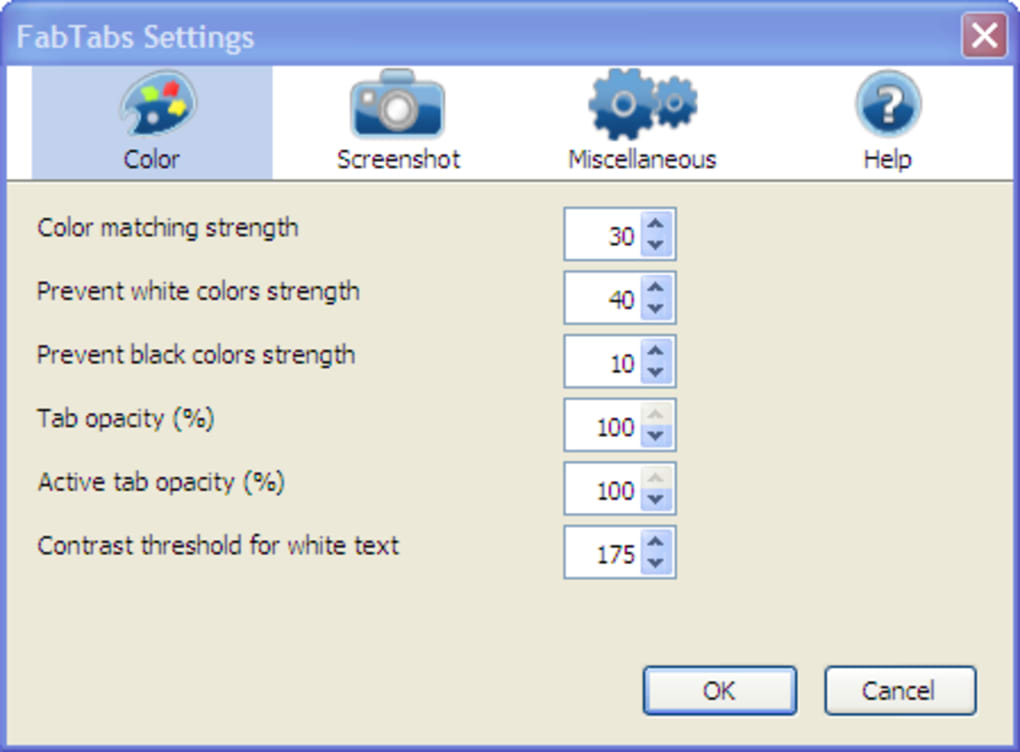
To tailor FabTabs to your preferences, click the palette icon and select “Options.” The options window is divided into three main sections: Color Intensity, Screenshot Settings, and Advanced Tweaks.
- Color Intensity: Drag the slider from “Soft” to “Bold” to control how vivid the tab colors appear.
- Screenshot Size: Choose between “Small (100 px)”, “Medium (250 px)”, or “Full‑Page” snapshots. Smaller screenshots process faster but may miss subtle hues.
- Recolor Inactive Tabs: Enable this to give background tabs a muted version of the active color, helping the current tab stand out.
- Manual Recolor: Right‑click any tab and select “Recolor Tab” to force a fresh color calculation on demand.
Tips for optimal performance
While FabTabs is designed to be low‑impact, users on older hardware may notice a brief pause when a new tab is opened on a media‑rich page. To minimize this, set the screenshot size to “Small” and keep the color intensity at a moderate level. Additionally, disabling the “Recolor Inactive Tabs” option can reduce the number of background calculations, freeing up resources for other extensions. Finally, keep the add‑on updated via the Firefox Add‑on Manager to benefit from bug fixes and performance improvements released by the developer.
Compatibility, Pros & Cons
FabTabs runs exclusively within the Firefox browser on desktop operating systems. The add‑on supports Firefox version 4 and later, which covers Windows 7/8/10/11, macOS 10.9 and newer, as well as Linux distributions that ship recent Firefox builds. Mobile versions of Firefox (Android and iOS) do not currently support FabTabs because the extension relies on desktop‑only APIs for screenshot capture and tab styling. Users on unsupported platforms will see a placeholder message indicating incompatibility.
Pros
- Free and open‑source – no hidden fees or trial periods.
- Automatic, real‑time tab coloring adds visual context without manual effort.
- Lightweight and fast; the add‑on consumes minimal CPU and memory.
- Highly customizable through an intuitive options panel.
- Internationalized interface with several language translations.
Cons
- Color detection may misinterpret pages with complex or muted palettes, resulting in bland tabs.
- The “Recolor Tab” command occasionally fails on dynamically loaded content.
- No support for Firefox on Android or iOS, limiting the experience to desktop users.
- Inactive‑tab softening can make some tabs appear almost white, reducing the visual benefit.
- Older Firefox versions (< 4) are not supported, which may affect users on legacy systems.
Overall, FabTabs delivers on its promise of intelligent tab coloring but falls short on consistency. It’s a solid free add‑on for users who enjoy subtle visual cues, yet power users seeking precise color matching may need to experiment with settings or look for alternatives.
Frequently Asked Questions
Does FabTabs work on Firefox Quantum (Firefox 57+)?
Yes. FabTabs was updated to be compatible with Firefox Quantum and later versions. The add‑on uses the WebExtensions API, which is fully supported in Firefox 57 and newer.
Can I choose a specific color instead of the automatically detected one?
FabTabs does not include a manual color picker, but you can influence the result by adjusting the “Color Intensity” slider or by using the “Recolor Tab” option after changing the page’s content (e.g., loading a different image).
Why does the “Recolor Tab” menu item sometimes do nothing?
The command relies on the page being fully loaded and the screenshot API being available. On pages that load content dynamically after the initial render, the recolor request may miss the new elements, causing the tab to retain its previous color.
Is FabTabs safe to use? Does it collect any personal data?
FabTabs only accesses the currently displayed webpage to capture a screenshot for color analysis. It does not transmit data to external servers, store browsing history, or collect personal information. The source code is publicly available, allowing users to audit its behavior.
Can I use FabTabs with multiple Firefox profiles?
Absolutely. FabTabs is installed per profile, so you can enable or disable it independently in each Firefox profile you manage.
Conclusion & Call to Action
FabTabs offers a creative way to make your Firefox browsing experience more vibrant without compromising performance. Its automatic color extraction works well for many sites, especially those with dominant visual themes, and the customization options let you fine‑tune the look to suit your taste. While occasional mismatches and the lack of a true manual color picker can be frustrating, the add‑on remains a free, lightweight solution for users who enjoy a dash of color in their workflow.
If you’re ready to give your tabs a smarter, more dynamic appearance, simply click the download button below, install FabTabs from the official Mozilla Add‑ons store, and start experimenting with the settings. Remember to keep the extension updated for the best compatibility and performance. Happy browsing!







